
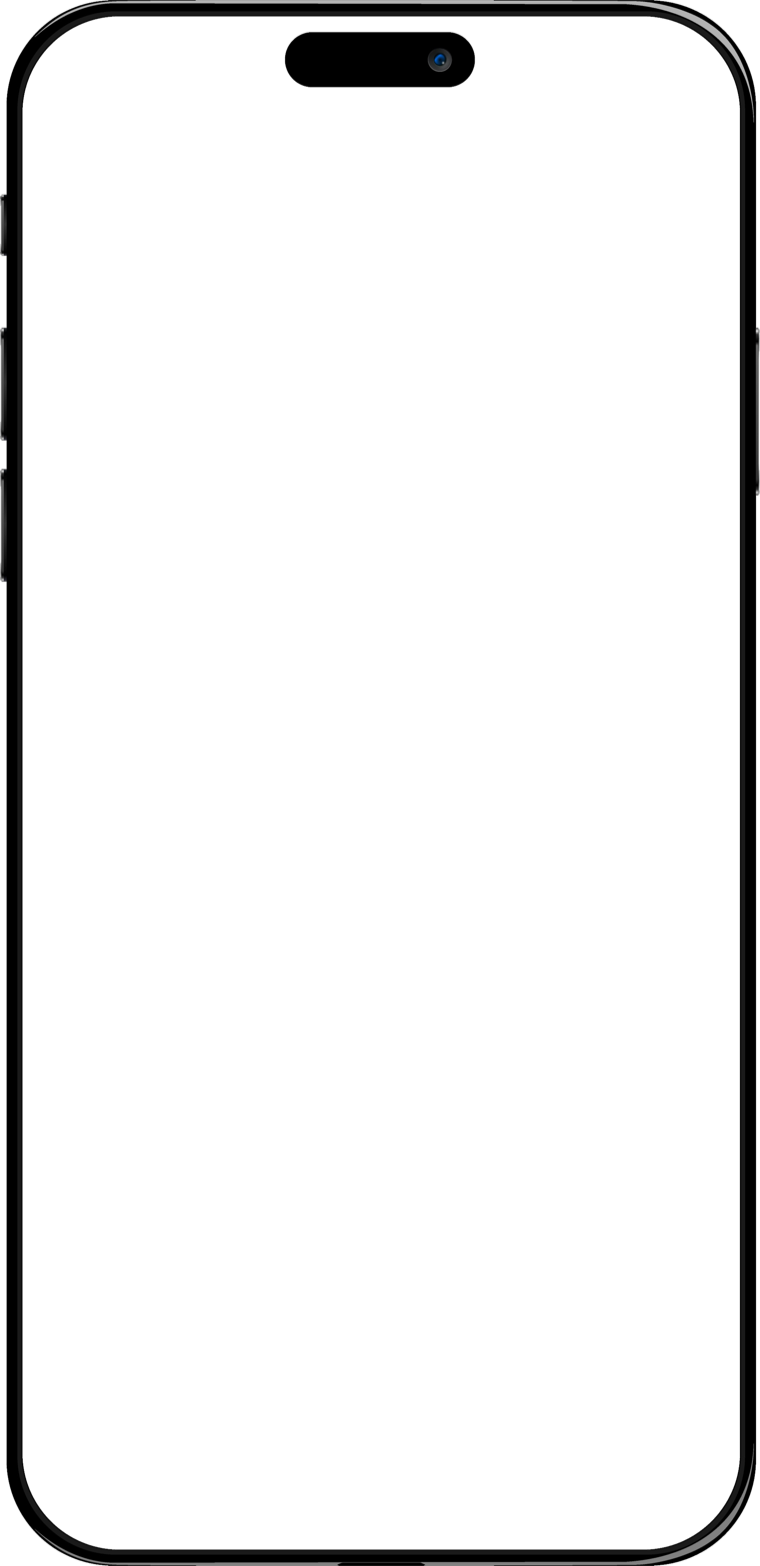
Volume, against the weeks before
Per session, compared with the previous period of the same length — never a best day picked out of one.
Volume per session
6.8 tonnes
+7.0% vs previous 4 weeks
Last week's weight and reps are already on the screen. Nothing is typed at the rack.
122.5 kg × 5
No signal · saved on the device
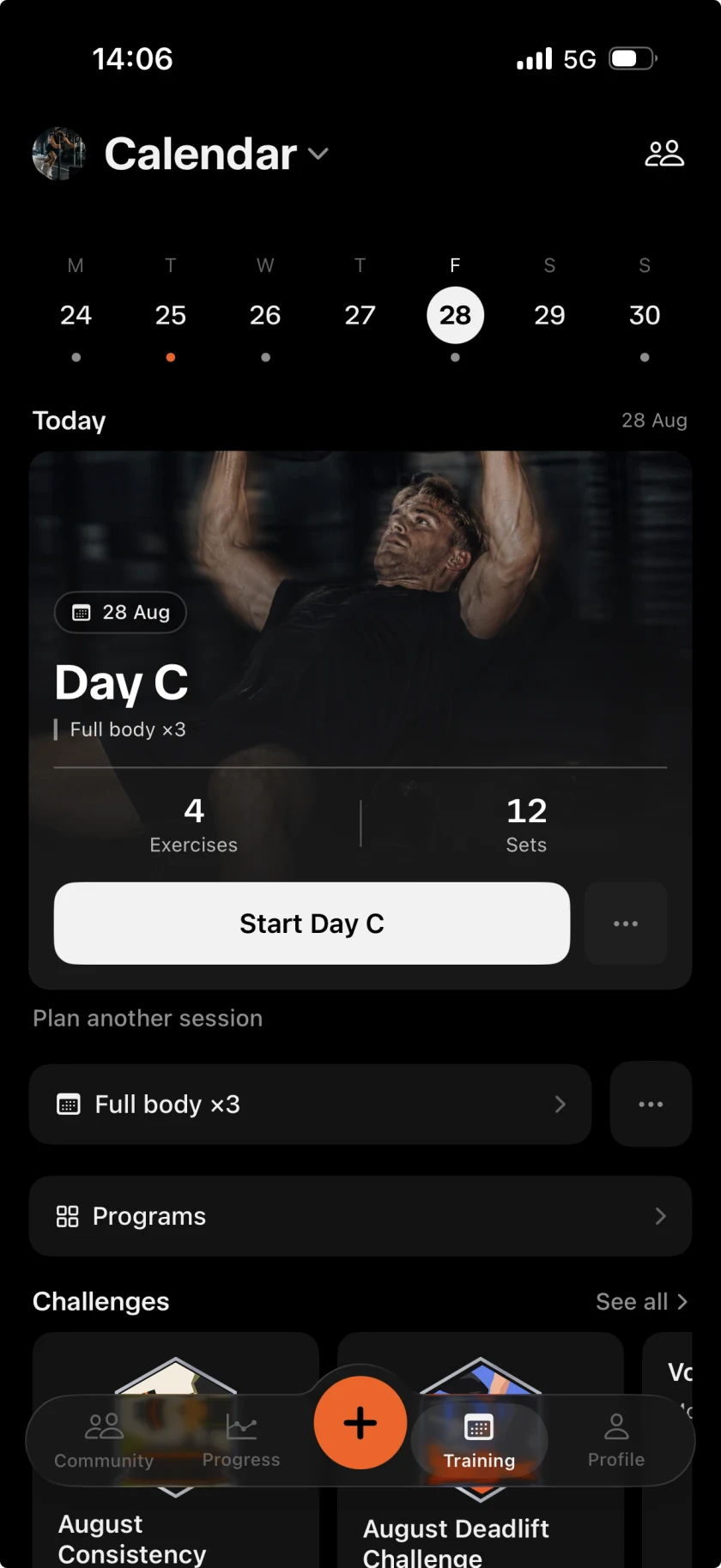
Recovery
78%
Legs lowest
Works with no signal

Nothing shared by default

Imports from Hevy and Strong

Logs from the wrist


Records found, not announced

873 lifts in the library

17 muscles drawn on the body

Export it all as JSON
In the hand
Every figure below is the app's own component, rebuilt in the browser — the chart draws its own line rather than being a photograph of one that already had.
Per session, compared with the previous period of the same length — never a best day picked out of one.
Volume per session
6.8 tonnes
+7.0% vs previous 4 weeks
Marked as you log, in the one colour this app keeps for something earned.
Ten programmes, or your own. The week fills in and one button starts it.
Sessions from people you follow, club chat, and a target the whole room is working at.
Tuesday Squat Club
68/100 sets
One set
Pulled apart it is five layers, and four of them are there so that you do not have to type.
Try it
This is the real control, not a video. Change the weight if you want to, then tap the tick.
Barbell Squat
Set 3
120 kg × 5 last time
Weight steps by 2.5 kg — the smallest pair of plates.
Inside
The week, what is planned, and one button that starts it.
13t lifted this week
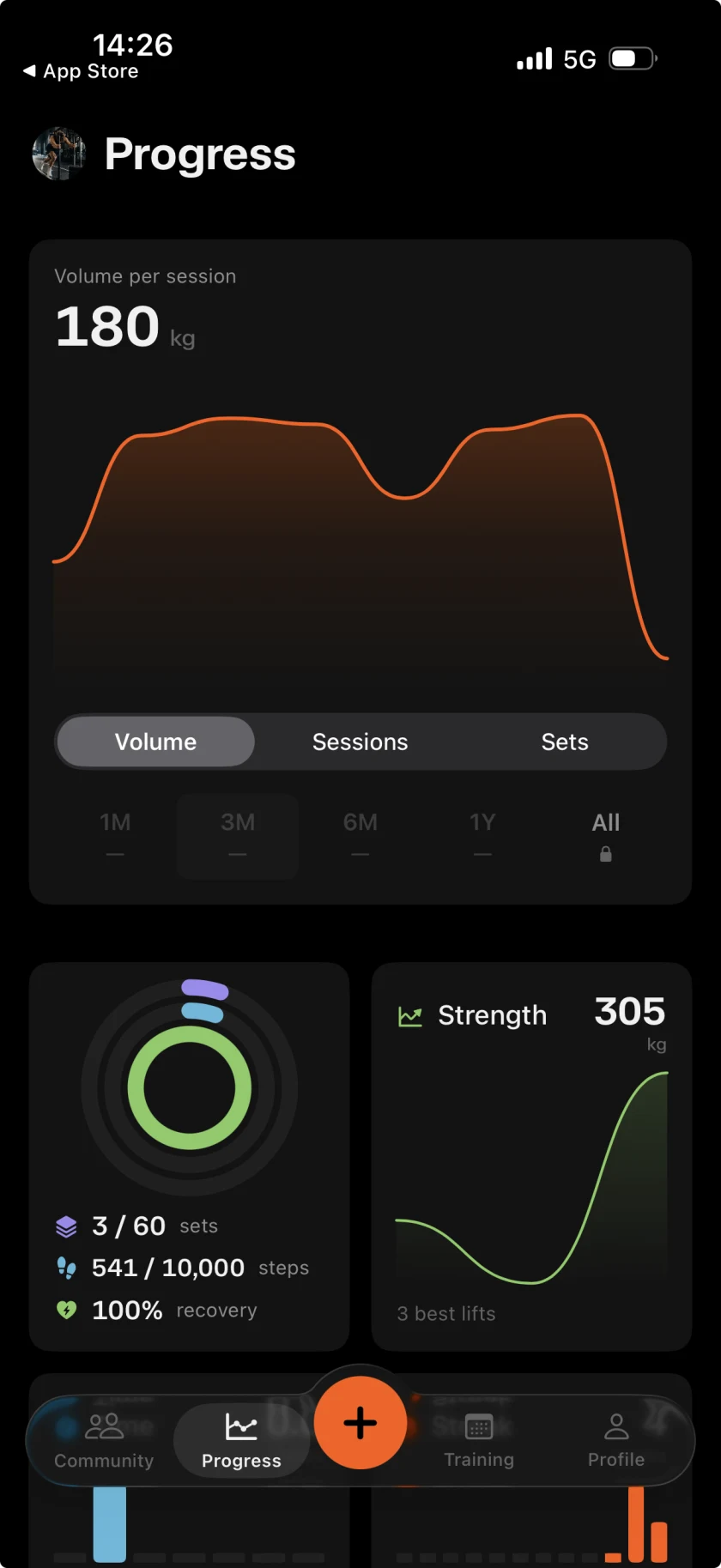
Every comparison says what it is against, or shows nothing at all.
+7.0% on the previous four weeks

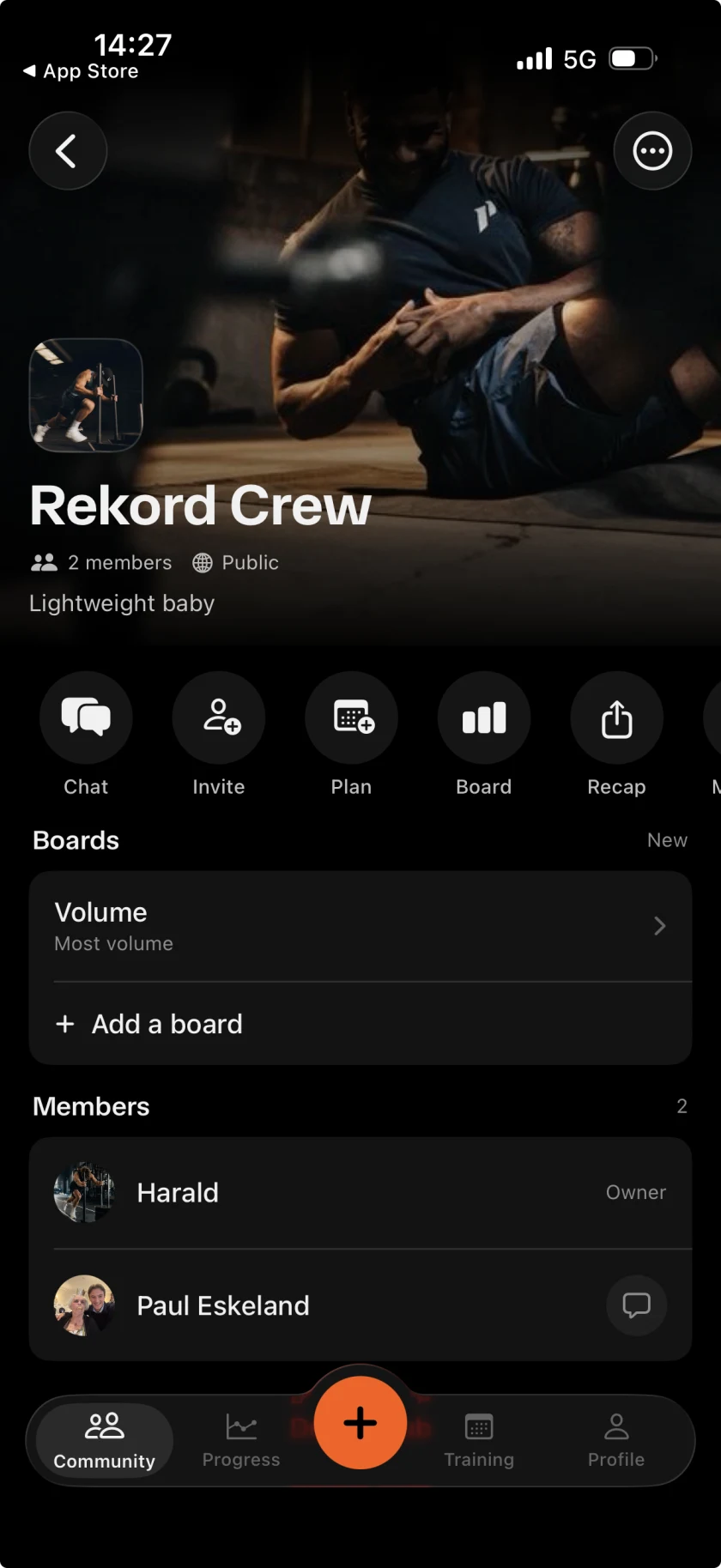
A room for the people you actually train with.
2 members, one board, one chat

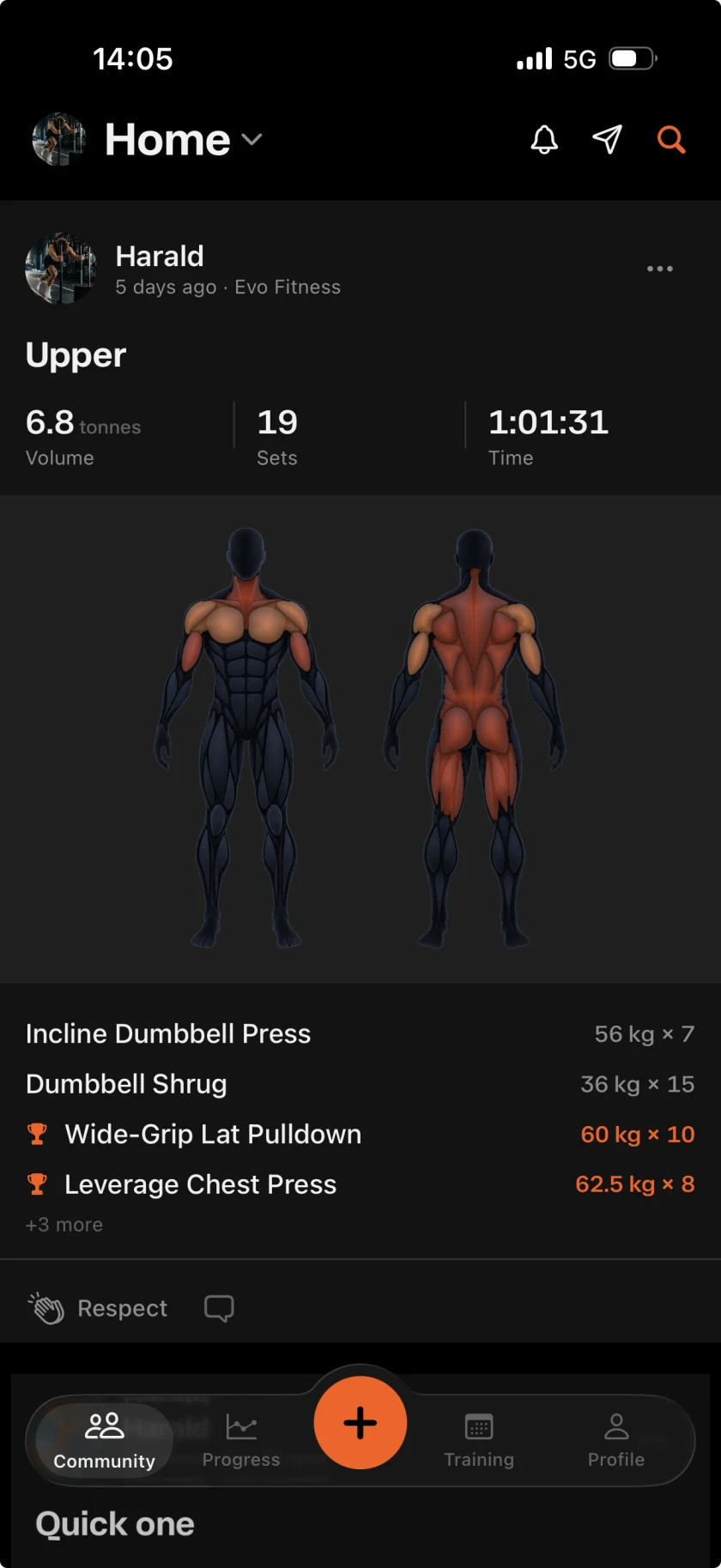
Nothing of yours appears until you tap Share.
68/100 sets, Tuesday Squat Club
Privacy
No advertising identifier, no advertising network, no data brokers. Crash reports and a short list of subscription events, both described in the privacy policy.
Every session is private until you decide otherwise. Sharing is always a separate, deliberate tap.
Whether you typed it or Apple Health did, it stays on the device and is visible to nobody else.
No estimated calories, no progress bars drawn from nothing. Every comparison says what it is against, or shows nothing at all.
Export everything as JSON whenever you like, and delete your account from inside the app. Immediately, and for good.
Common questions
In the app: Settings, then Delete account. It removes your training, your posts and your photographs immediately and permanently. There is no soft delete and no restoring it afterwards, so export first if you want a copy.
Settings, then Export my data, and pick a format. Everything (JSON) is every session, every set, your bodyweight and your measurements. Training log (CSV) is one row per set for a spreadsheet — it does not carry bodyweight or measurements, which is why the JSON one exists.
No. Bodyweight stays on your device, whether you typed it or it came from Apple Health.
Nobody, until you tap Share on a session. If your account is private, even a shared session is visible only to followers you have accepted.
The training log works offline and stores everything on your phone. An account is what backs it up, moves it to a new phone, and turns on the social half.
Free to log. Free to leave with your data.